

Going on a holiday in a country far away from where you live can be a memory for life! But even abroad, you want to be connected. You want to keep your family/friends aware of your well-being, share pictures with them, find information about local tourist highlights, find a fancy restaurant, or find your way on Google Maps.
There are options like using data roaming from your home provider or buying a prepaid SIM, but both options have their disadvantages in terms of pricing and convenience.
For a trip to India, my wife and I discovered that purchasing an eSIM would probably be the best method of going online. After some more research, we decided to purchase eSIMs at Airalo.
Although the process of purchasing and using an eSIM is not very complicated, this blog aims to help others by explaining the pros and cons of eSIMs and the steps to purchase an Airalo eSIM.
TIP: At the end of this blog, a referral code makes purchasing your first Airalo eSIM US $3 cheaper.
In this article
- What is an eSIM, including its pros and cons.
- Purchasing, installation, and activation of eSIMs.
- Accessing eSIMs in the Settings App.
What is an eSim?
In short, an eSIM is an embedded SIM card that you purchase and install on your phone. Once you arrive in the country for which you purchased the eSIM, your phone will pick up the network, and you will be connected. eSIM sellers often have an app that you install on your phone. Purchasing Airalo eSIMs is done with their app. Also, when you run out of data or when the eSIM is expired, you top-up in the app.
Advantages of eSIMs
eSIMs have several advantages over regular SIM cards:
- Convenience – You don’t need to swap physical SIM cards when going to another country.
- Durability – You can’t lose or damage an eSIM (as long as you keep it installed on your phone).
- Versatility – You can install eSIMs on laptops, tablets or smartwatches.
Is an eSIM expensive?
We purchased eSIMs to use them in India and for demonstration purposes, I also bought one for our holiday to Switzerland next summer. We feel like eSIMs are not expensive, but below you can check the prices we paid ourselves. Decide for yourself if you consider it expensive:
- India – 3GB with a validity of 30 days, price $10,50
- Switzerland – 2GB with a validity of 15 days, price $ 8,00
If you run out of data, you can purchase top-up packages of similar prices to the original package you purchased.
It is not just good news…
You should be aware of a couple of things before you decide to purchase an eSIM. The most important are:
- Your phone might not support eSIMs – This won’t be an issue for most modern phones. But if you have a somewhat older phone, make sure it supports eSIMs before you purchase one. The websites of eSIM sellers often have pages where you find phone brands and models that support eSIMs.
Check the What devices support eSIM article to read what phones are eSIM-compatible (as of May 2024). - Your carrier might not have enabled eSIM support – If your carrier did not enable eSIM support, you will not be able to install and use eSIMs.
Check How do I check if my iOS device supports eSIM? to read more. - Not all eSIMs support making cellular phone calls – Be aware that when you purchase an eSIM, it might be Data only. That means you won’t have a phone number in your destination country and, therefore, will not be able to make cellular phone calls. Still, you can make phone calls via WhatsApp, so this limitation does not have to be a problem.
Purchasing, installing and activating an Airalo eSIM on an iPhone
We had a good experience purchasing and using eSIMs from Airalo, so we wanted to share our experience here. Of course, we hope other people can benefit from being online abroad for reasonable prices, too.
To prevent disappointments, first check if your phone supports eSIMs. The Airalo website has this information.
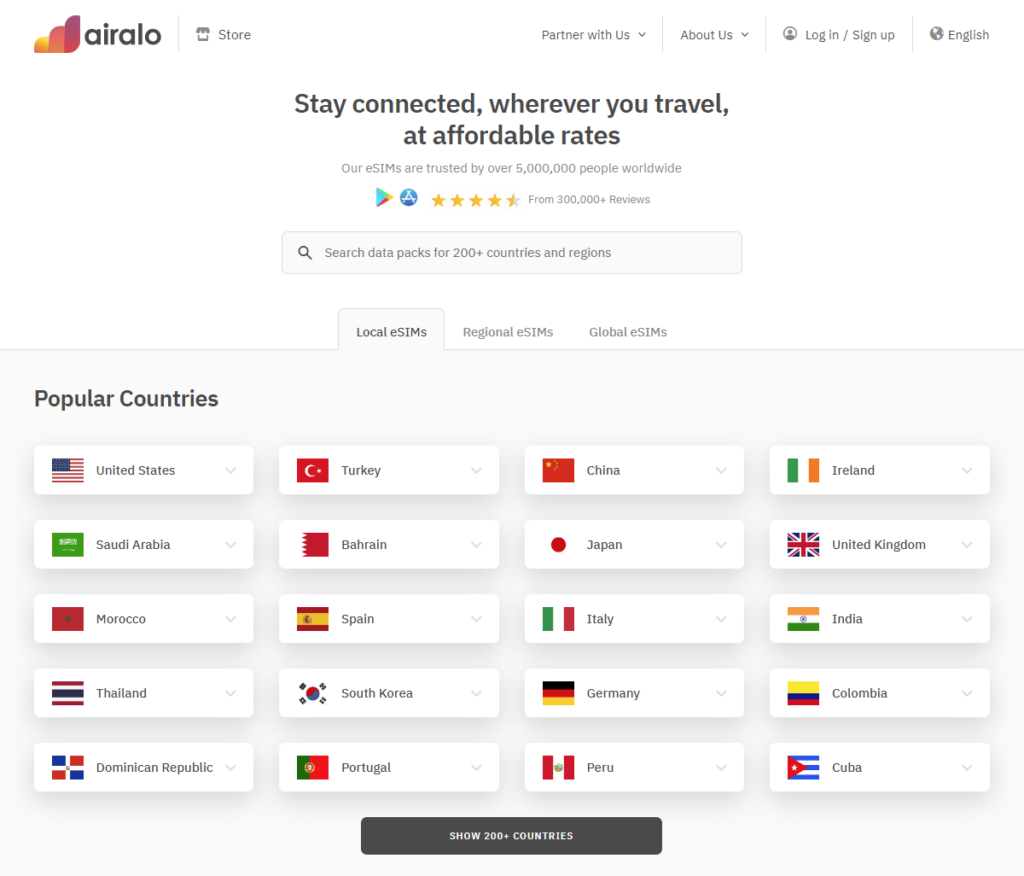
Steps to purchase and use an Airalo eSIM
- Download and install the Airalo app from the Apple App Store.
- Choose what kind of eSIM you need. You can choose between:
- Local – purchasing an eSIM for a specific country. There is coverage of 200+ countries.
- Regional – purchasing an eSIM for a specific region. For example: Africa, Asia, Europe, Latin America, etc.
- Global (Discover) – purchasing a worldwide usable eSIM. There is coverage of 124 countries.
- Choose the country or region you are travelling to, or choose Global.
- Next, choose the package of your interest. Packages are based on:
- Data: can range from 1GB to 20GB, but might differ per country.
- Validity: 7, 15, or 30 days.
- Buy the package of your interest. You can pay with:
- Apple Pay
- PayPal
- Credit/Debit card
- Alipay
- Referral code or Airmoney
Read more about the Airalo referral program.
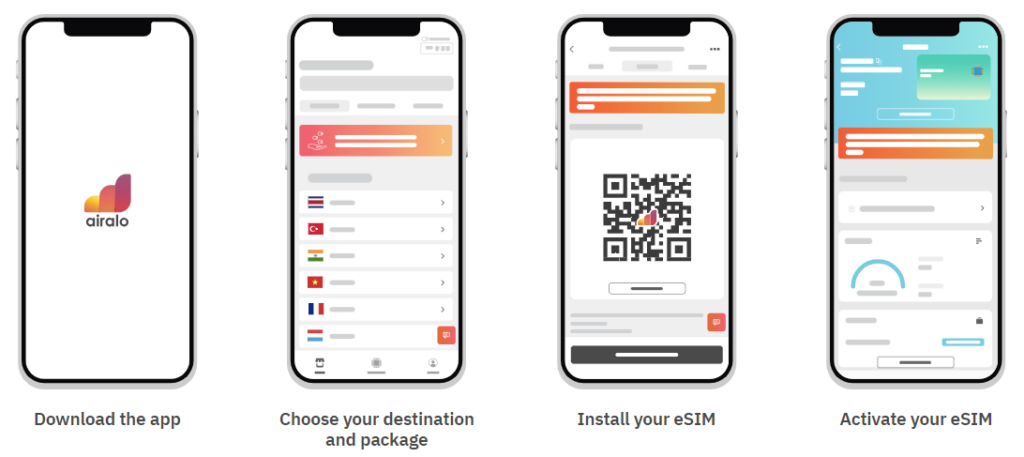
Install the Airalo eSIM on an iPhone
After the payment is made, you can install the eSIM.
- In the Airalo app, scroll down, and under How to install an eSIM, at the bottom of the screen, press Go to eSIM details.
- In the next screen, press View Instructions, and in the View Instructions screen, hit the Install eSIM button.
- The app shows a Step-by-Step Guide for activating the eSIM. Read the instructions and click Next after reading each screen.
- After the last screen of the Step-by-Step Guide, press Install eSIM again.
Activating the eSIM
Now the eSIM is installed, it must be activated. Follow the steps below to make that happen.
- The Airalo app shows a popup with the text Activate New eSIM; press Allow.
- Next, the Activate eSIM appears, and your phone tries to connect to the network.
- When it appears, hit the Continue button.
- After about half a minute, you will receive the Mobile Plan Setup Complete message. The eSIM is now activated; click Done.
In the Default Line screen that appears, you can view the current SIMs and eSIMs on your phone. In my case, I have the following SIMs:
- Primary – This is the SIM from my local carrier in my home country.
- Personal – This is the eSIM I just installed for my trip to Switzerland.
You can decide what SIM must be used for phone calls and what one for Data. When I am in Switzerland, I won’t be able to use the SIM from my home country for phone calls unless I use roaming, but that’s not my intention. For Data, I will use the Personal eSIM. When I arrive in Switzerland, my phone will automatically pick up the network and I can browse the internet, send messages, and have audio/video calls via iMessage, FaceTime, WhatsApp, etc.
Viewing (e)SIMs in the Settings app
You can also view the (e)SIMs on your phone in the Settings app. This enables you to:
- Enable/disable (e)SIMs when you need them.
- Change the label of your (e)SIMs for recognizability.
- Decide what (e)SIM to use for phone calls versus data.
- Decide if you want to use an (e)SIM as a personal hotspot.
- Adjust any other available settings.
After opening the Settings app, you will find these settings under Mobile Service > SIMs.
Airalo Referral program
With Airalo, you earn AirMoney, the name of the Airalo in-app reward currency you use for future purchases. You can earn Airmoney as a reward for:
- Purchasing eSIMs.
- Topping up your eSIMs.
- Referring friends.
- Promotional offers.
Redeem Airmoney by purchasing or topping up eSIMs.
Buy your first Airalo eSIM cheaper with my referral code
Do you want to purchase your first Airalo eSIM with a US $3 discount? Then, make sure to Sign Up with Airalo and complete a purchase with this referral code:
Referral code: LEX6401
US $3 discount on your first Airalo eSIM!
Apply the Referral code when you sign up.
Conclusion
When you travel abroad, it is convenient to be connected. To be online, you could use roaming or purchase a prepaid card. In this article, however, we have seen the pros and cons, and we have seen how to install an Airalo eSIM on an iPhone. eSIMs are a cheap and convenient way to be online when abroad. We hope this blog is helpful and eSIMs are equally convenient for you as they are for us.